

BudreauReye
Veteran
- Joined
- Nov 17, 2013
- Messages
- 1,723
Coleman asked me this by PM, so I thought I would add it here.
Coleman Feeley, on 10 Jun 2014 - 10:03 AM, said:
Sure Coleman,
It is kind of hit or miss ... depends on the source. The last thing you want to do is use the image post function at the bottom of the reply panel. That locks the image into a small size.
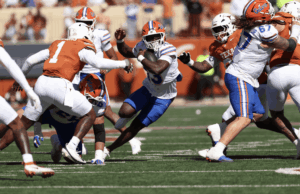
There are several ways to do it in larger sizes. If you see an image on another web site, on another tab in your browser, and you like the size that it is there (by the way, I use Firefox as a browser, so this is how I do it), simply right click on the image there, pick "copy image" off of the pop up panel and switch back to the tab that has HornSports. In the "Compose Reply" panel in HornSports, placed the cursor where you want to image and hit "Ctrl-v" on your keyboard and the image should appear the same size it was on the other web site, like this ...

You can also right click the original image on the other web site and pick "copy image location". The come back to the HornSports tab in your browser, place your cursor where you want the image as before, but instead of hitting "ctrl-v" as before, pick the little picture icon on the second row of icons at the top of the reply panel (it will say "Image" if you hover your cursor over it. In the indicated space, hit "ctrl-v" and you will enter the location on the WWW where the image resides. . Notice that if you hit "crel-v" in the text you are entering, that you will enter only the web location of the image but not the actual image. Using this second procedure will lose the image if "they", for whatever reason, change the location of the original image, or erase it altogether.
Now, if you want to load an image that you already have on your computer, open that image in whatever program opens images by default on your computer - on mine, the default image viewer is "Windows Photo Viewer". Right lick the image in Windows Photo Viewer or whatever program the image opens in, and back in the "Compose Reply" panel on the HornSports tab of your browser, like before, put the cursor wherever you want the image to be and hit "ctrl-v" and "Waller!", there your image should be the same size that it was in Windows Photo Viewer or whatever. If you want to resize an image, save the image from the web to your hard drive and/or open the image in whatever paint program to which you have access. I usually use PhotoShop because I am a snob, but in this case, I used Paint because it come with Windows and everybody should have it. Each paint program is different, even different versions of Microsoft Paint are different, but after you open the image, look for "Resize", change the image size according to your needs and save it with another name to retain the original image in its' original size in case you need it later. Open the resized image file in Windows Photo Viewer and "cut and paste" like before.

You can also cut and paste from PhotoShop or whatever other paint program that you may use, except that they may all work differently and may well default to a graphics format that the web reply function built into the HornSports will refuse to recognize.
View attachment 38
I have found that sometimes images have been manipulated in such a way, either by the software that the person who originated the image or the software that you or I use to manipulate the image further, so that the software built into this website will reject the image altogether. The software built into this website is pretty stable and robust, but I have had it accept and reject separate instances of the same image in posts that I have tried to make. If I were the programmer that wrote the software used in this web site or the web guy that is responsible for maintaining this website, I could probably figure it out. But since there are different ways to skin the cat, so to speak, I am not sure it is worth the effort to try.
NOW! Cut and paste this message and save it someplace where you can always find it. If you are like me, I can never remember how to do such tedious machinations when I am in a hurry. I will also add this to the "Archive" thread. I left this part out of my last post there for no other reason than, I guess, I am just a tad passive-agressive.
Gordon
Coleman Feeley, on 10 Jun 2014 - 10:03 AM, said:
Hey!
Hope all is well and I wanted to tell you I really enjoy your posts and sense of humor. Speaking of... I need some help enlarging the images I post to the forum. I can only get the little thumbnails posted, can you help me out?
-Feeley
Sure Coleman,
It is kind of hit or miss ... depends on the source. The last thing you want to do is use the image post function at the bottom of the reply panel. That locks the image into a small size.
There are several ways to do it in larger sizes. If you see an image on another web site, on another tab in your browser, and you like the size that it is there (by the way, I use Firefox as a browser, so this is how I do it), simply right click on the image there, pick "copy image" off of the pop up panel and switch back to the tab that has HornSports. In the "Compose Reply" panel in HornSports, placed the cursor where you want to image and hit "Ctrl-v" on your keyboard and the image should appear the same size it was on the other web site, like this ...
You can also right click the original image on the other web site and pick "copy image location". The come back to the HornSports tab in your browser, place your cursor where you want the image as before, but instead of hitting "ctrl-v" as before, pick the little picture icon on the second row of icons at the top of the reply panel (it will say "Image" if you hover your cursor over it. In the indicated space, hit "ctrl-v" and you will enter the location on the WWW where the image resides. . Notice that if you hit "crel-v" in the text you are entering, that you will enter only the web location of the image but not the actual image. Using this second procedure will lose the image if "they", for whatever reason, change the location of the original image, or erase it altogether.
Now, if you want to load an image that you already have on your computer, open that image in whatever program opens images by default on your computer - on mine, the default image viewer is "Windows Photo Viewer". Right lick the image in Windows Photo Viewer or whatever program the image opens in, and back in the "Compose Reply" panel on the HornSports tab of your browser, like before, put the cursor wherever you want the image to be and hit "ctrl-v" and "Waller!", there your image should be the same size that it was in Windows Photo Viewer or whatever. If you want to resize an image, save the image from the web to your hard drive and/or open the image in whatever paint program to which you have access. I usually use PhotoShop because I am a snob, but in this case, I used Paint because it come with Windows and everybody should have it. Each paint program is different, even different versions of Microsoft Paint are different, but after you open the image, look for "Resize", change the image size according to your needs and save it with another name to retain the original image in its' original size in case you need it later. Open the resized image file in Windows Photo Viewer and "cut and paste" like before.
You can also cut and paste from PhotoShop or whatever other paint program that you may use, except that they may all work differently and may well default to a graphics format that the web reply function built into the HornSports will refuse to recognize.
View attachment 38
I have found that sometimes images have been manipulated in such a way, either by the software that the person who originated the image or the software that you or I use to manipulate the image further, so that the software built into this website will reject the image altogether. The software built into this website is pretty stable and robust, but I have had it accept and reject separate instances of the same image in posts that I have tried to make. If I were the programmer that wrote the software used in this web site or the web guy that is responsible for maintaining this website, I could probably figure it out. But since there are different ways to skin the cat, so to speak, I am not sure it is worth the effort to try.
NOW! Cut and paste this message and save it someplace where you can always find it. If you are like me, I can never remember how to do such tedious machinations when I am in a hurry. I will also add this to the "Archive" thread. I left this part out of my last post there for no other reason than, I guess, I am just a tad passive-agressive.
Gordon
Last edited by a moderator: